Rocket Game Booster
Zero Lag. One Tap. Totally Free.
Boost any Android game with a single tap. Rocket optimizes your network route, prevents packet loss, and keeps your connection rock-solid — at zero cost.
8 Reasons Gamers Choose Rocket
Everything you need for a faster, more stable, and secure gaming connection.
Free Boosting
Enjoy a high-speed channel at zero cost. No payment required for stable acceleration — play with no burden.
Supports All Android Games
Fully compatible with every Android game — from blockbuster titles to niche new releases. Open and boost instantly.
One-Click Boost
A single tap auto-optimizes your network. No tedious setup — drop straight into low-latency matches in seconds.
Optimized Network Connection
Intelligently selects faster, more stable game routes — say goodbye to stutter and input delay.
Enhanced Network Stability
Effectively resolves network jitter so you can play anywhere, anytime — even on weak networks, without dropping.
Anti Packet-Loss
Patented multi-packet transmission eliminates character teleporting, skill failures, and forced disconnections.
Intelligent Dual-Channel
Automatically switches to mobile data backup when Wi-Fi is unstable, keeping your network always online.
Data Protection
Creates a secure encrypted tunnel to protect your data on public networks from interception.
How Rocket Game Booster Works
Rocket boosts any Android game with one tap — delivering zero lag, rock-solid stability, and real, noticeable results.
When you connect directly to a game server, your data travels along whatever public route the internet happens to pick — often a long, congested path that causes high ping, lag, and packet loss.
Rocket changes that. The moment you tap "Boost", your game traffic is routed into a dedicated, optimized tunnel: Rocket intelligently selects the fastest and most stable nodes, encrypts your data for protection, and uses multi-packet transmission to guarantee delivery — so every command reaches the server without loss.
The result is a connection that's faster, smoother, and more reliable for virtually any Android game, with no manual configuration required.
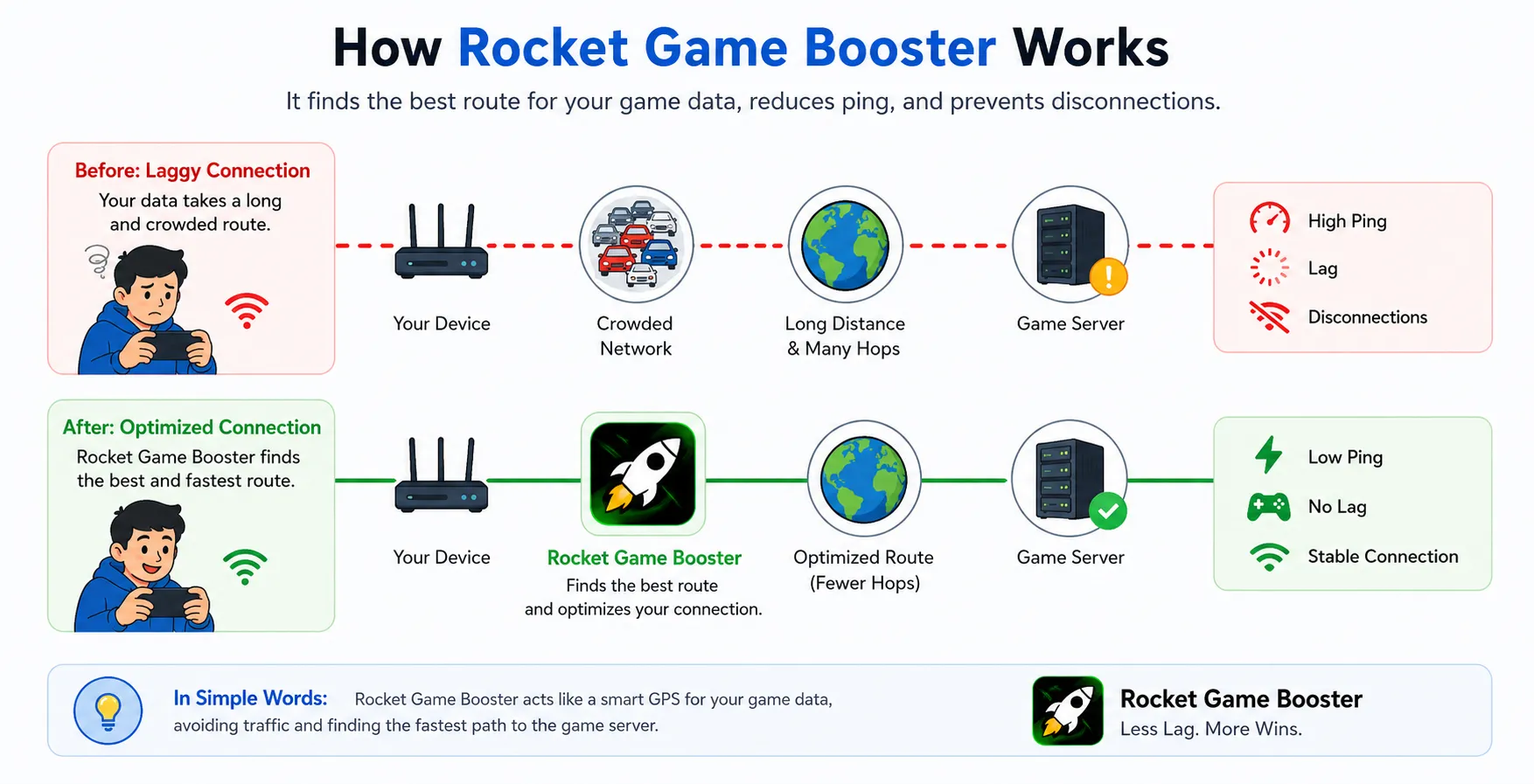
Your Device
Tap Boost — Rocket captures your game traffic.
Encrypted Tunnel
Data is secured in a private, encrypted channel.
Smart Routing
Fastest, most stable nodes are auto-selected.
Game Server
Commands arrive instantly with no loss.
Rocket vs Other Boosters
See how Rocket stacks up where it matters most: free, universal, one-tap, stable, and smart.
| Feature | Rocket | Other Boosters |
|---|---|---|
| Completely Free | Paid / Subscription | |
| Boosts Any Android Game | Limited game list | |
| One-Click Boost | Manual configuration | |
| Stable (Anti Packet-Loss) | Frequent drops | |
| Intelligent Dual-Channel | ||
| Encrypted Data Protection | Varies |
How to Choose a Good Game Booster
Not all accelerators are created equal. Keep these five points in mind before you pick one.
Broad Game Support
A good booster should work with any game you play, not just a short list of popular titles. Rocket supports all Android games.
Real, Measurable Results
Look for live before/after ping data. If you can't measure the improvement, you can't trust it. Rocket shows real-time stats.
Stability First
Anti packet-loss and jitter control matter more than peak speed. A stable connection beats a fast-but-flaky one every time.
Ease of Use
You shouldn't need a manual. A great booster works with one tap — no complicated routing or port settings.
Data Security
Choose a booster with encrypted tunnels so your data stays protected — especially on public Wi-Fi networks.
Fair Pricing
Many boosters lock essentials behind a paywall. Rocket delivers premium-level acceleration completely free.
How to Use Rocket Game Booster
Boost any installed Android game in just a few simple steps.
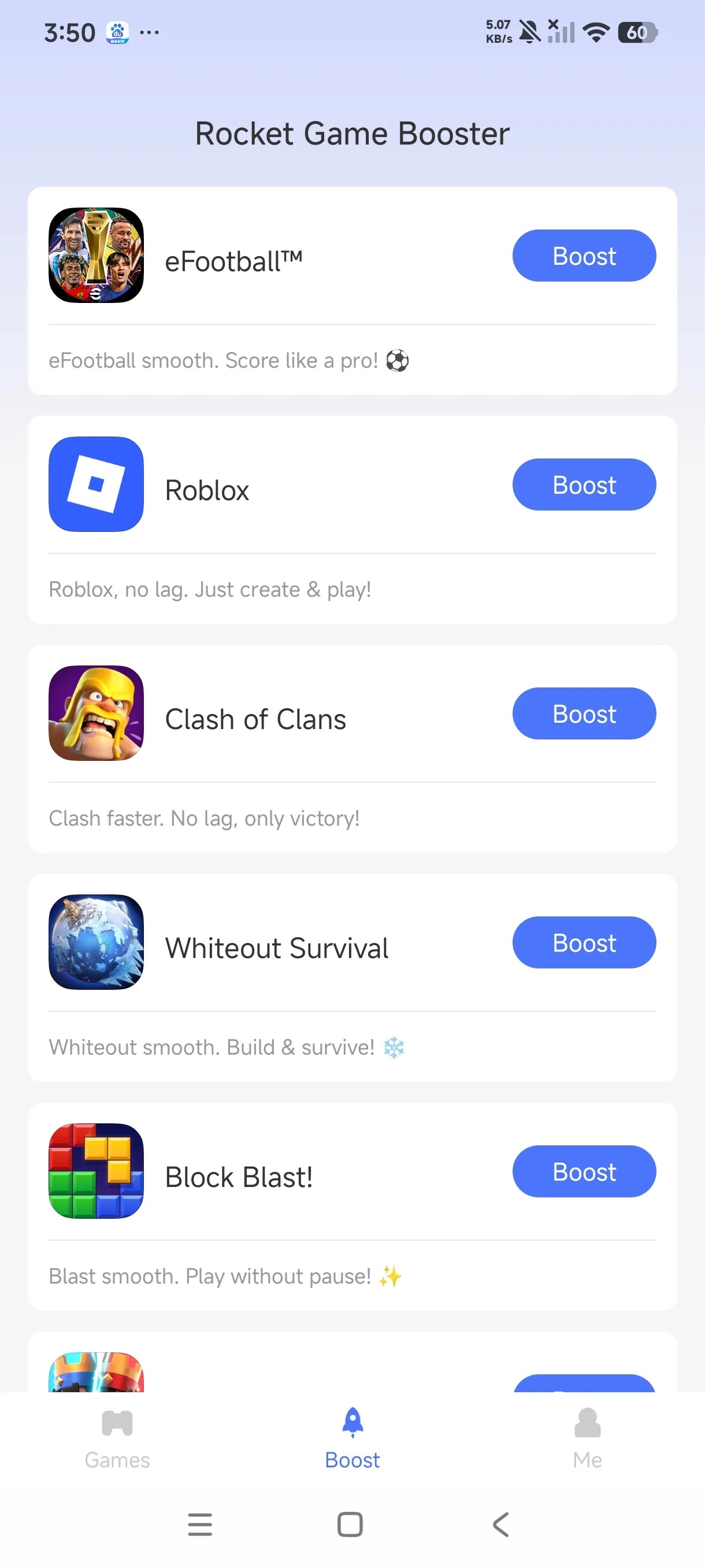
Add My Games
After installing Rocket, tap "Add My Games" to add the game you want to accelerate to your list.
One-Click Boost
Tap the boost button on the right of your game. Rocket starts accelerating instantly — that's all it takes.
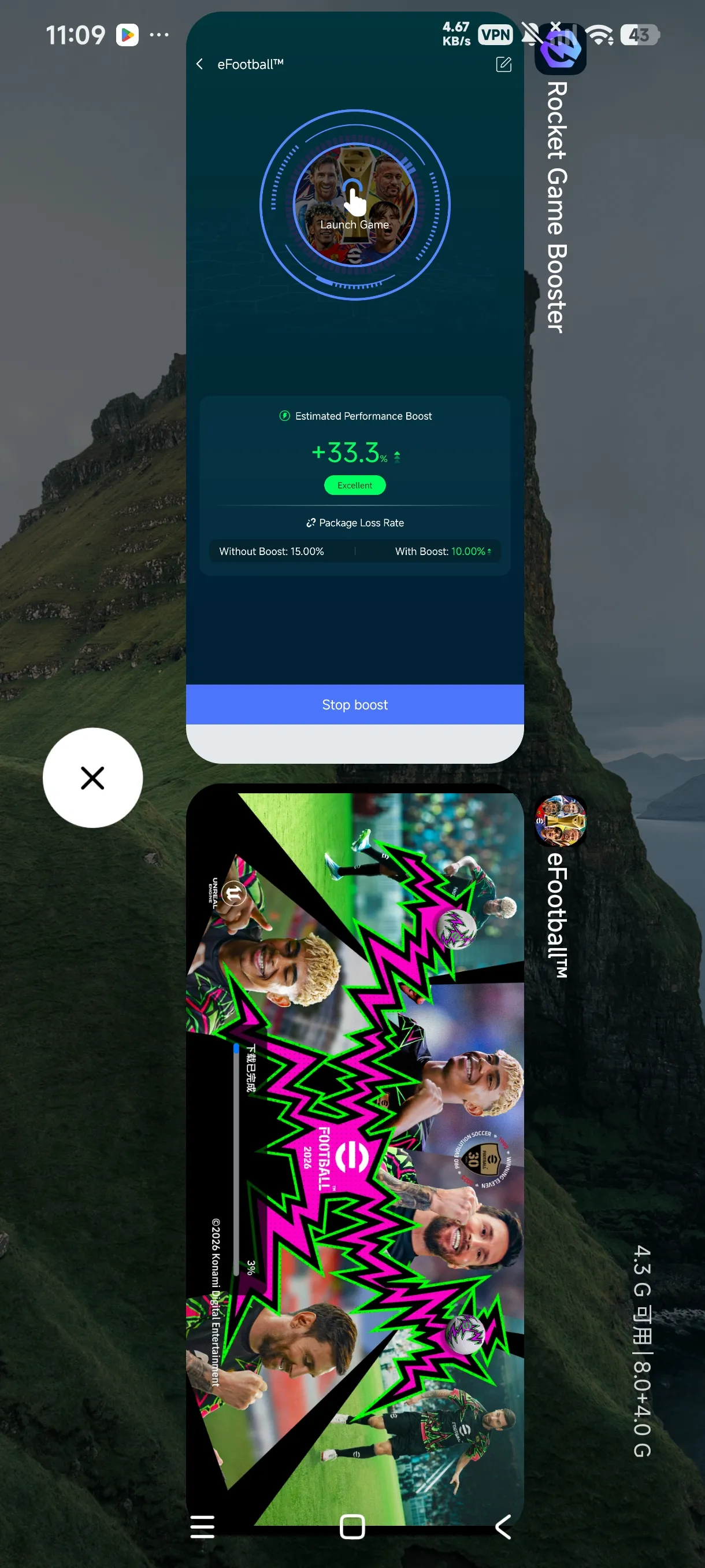
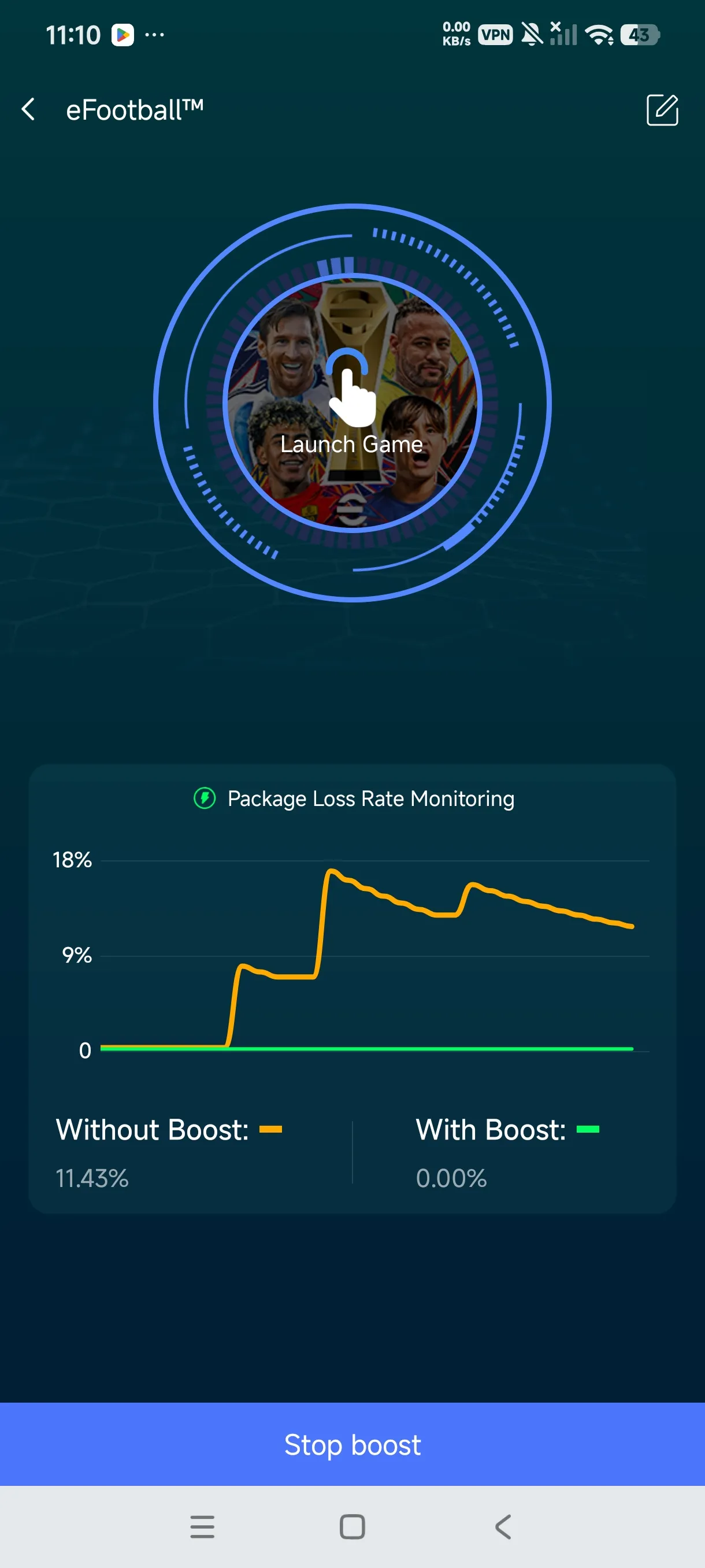
Game Running
The interface shows real before/after data so you can see the improvement. Launch your game and enjoy a smooth, lag-free experience.
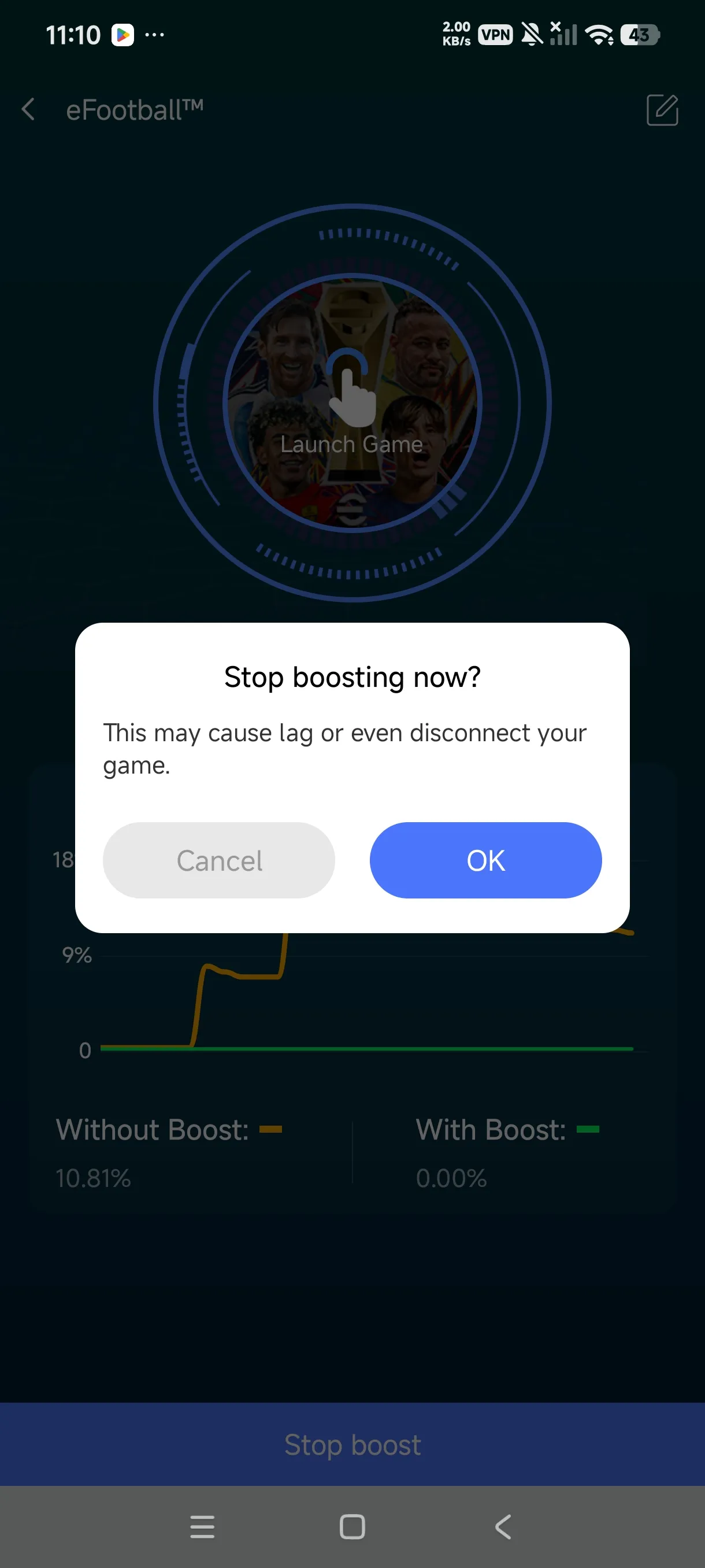
Stop Boost
When you're done playing, simply tap "Stop Boost" to end the acceleration. You can re-boost anytime with a single tap.
If the game isn't installed yet, download it from the Google Play Store first, then add it to Rocket to accelerate.
Note: Stable acceleration requires Android 7.0 or above.