Rocket Works on Every Android Phone
No matter which brand or custom OS you use, Rocket boosts your games as long as your device runs Android 7.0 or above.
Supported Phone Brands
Rocket is fully compatible with the most popular Android brands and their custom systems.
Xiaomi
HyperOS
POCO
HyperOS
OPPO
ColorOS
vivo
OriginOS
iQOO
OriginOS
Samsung
One UI
OnePlus
OxygenOS
Infinix
XOS
TECNO
HiOS
realme
realme UI
Supported Android Versions
Rocket requires Android 7.0 or above for stable acceleration. The following versions are fully supported.
Android 7
Android 8
Android 9
Android 10
Android 11
Android 12
Android 13
Android 14
Android 15
Android 16
How to Use Rocket on Android
Using FREE FIRE as an example — boost any installed game in just a few taps.
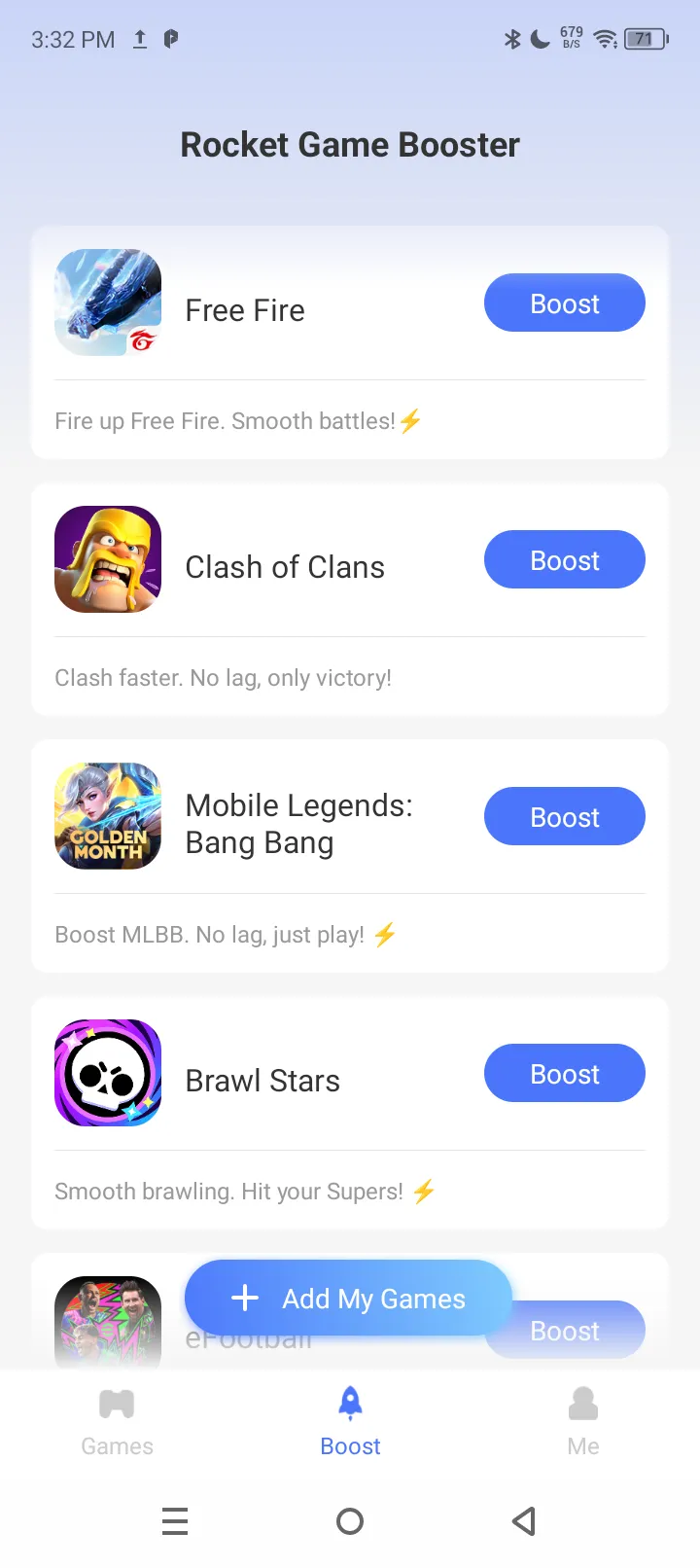
One-click Boost
After installing Rocket, tap "Add My Games" to add FREE FIRE to your list, then tap the boost button on the right side of the game. The accelerator starts instantly — it's that simple.
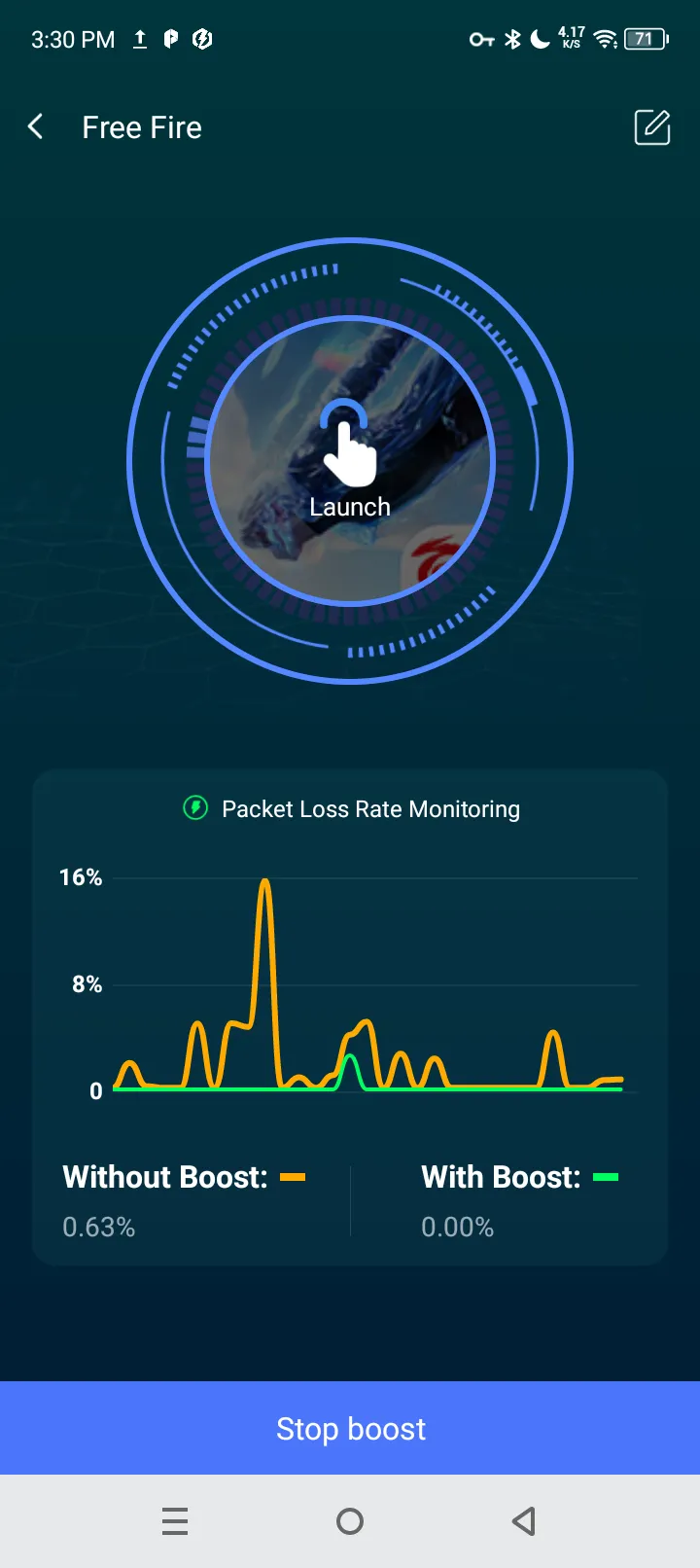
Real Acceleration Data
The acceleration interface displays a comparison of real data with and without the accelerator, so you can see the improvement instantly.
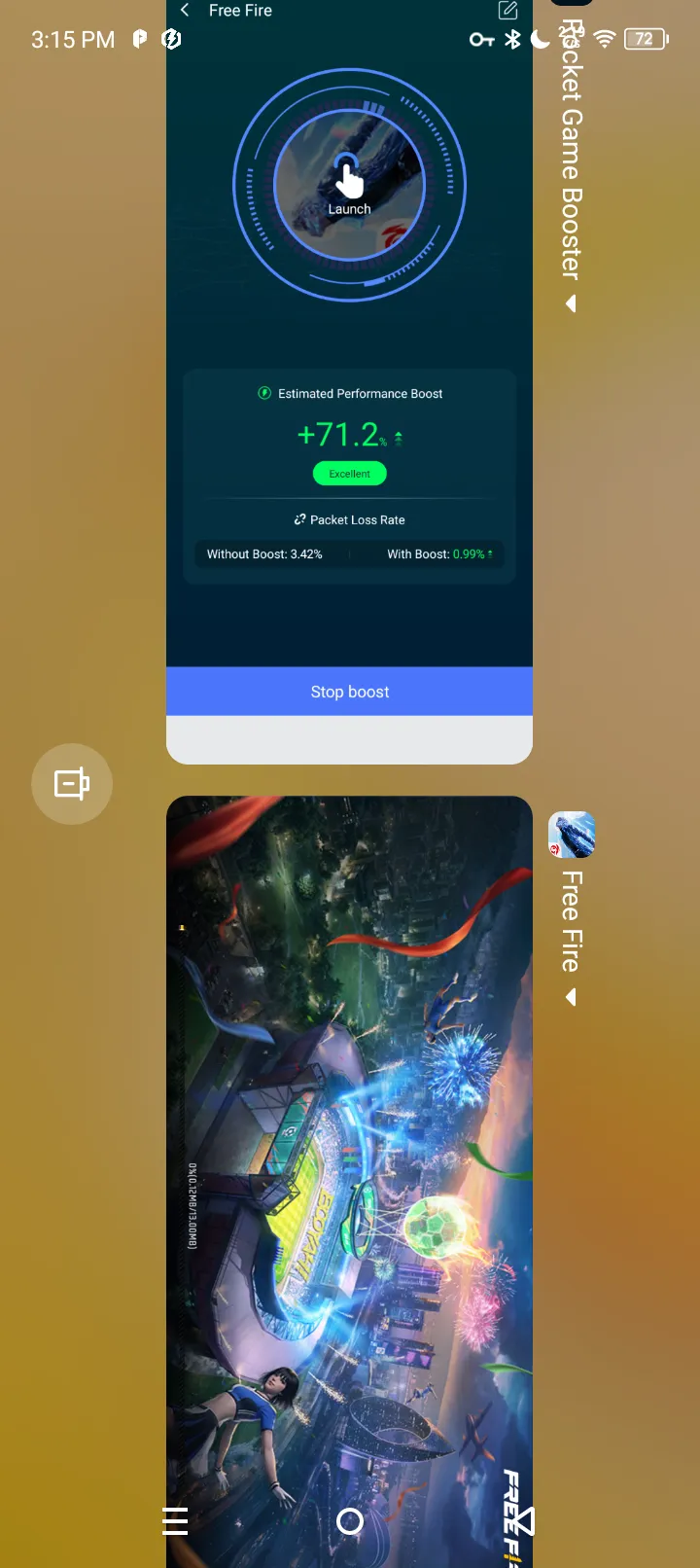
Normal Operation
FREE FIRE runs smoothly with low ping, no lag, and stable performance under Rocket Game Accelerator.
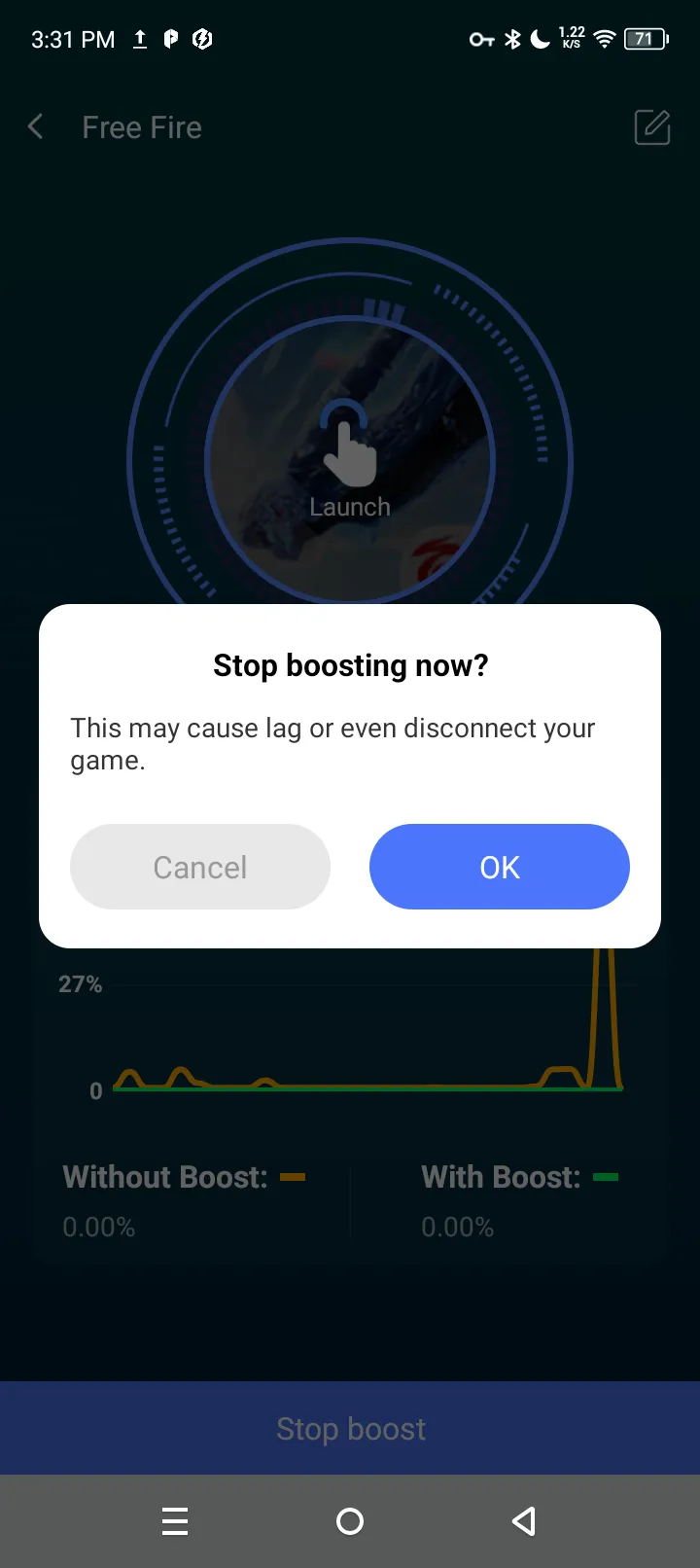
Launch & Play
Launch FREE FIRE and enjoy. When you're done, return to the acceleration interface and tap "Stop Boost" at the bottom to stop the service.
Recommended Android Settings
Before using Rocket, it's recommended to adjust two settings in your phone's built-in "Game Acceleration" first: open Phone Manager → Game Acceleration → find your game → turn off "Network Acceleration" (to avoid conflicts with your phone's built-in network optimization). At the same time, add Rocket to your "protected background apps" list (apps that won't be cleared). This way, both acceleration features can coexist in harmony.
Rocket vs Built-in Phone Booster
How Rocket compares to the game-boosting feature that comes with your phone.
| Comparison | Rocket Booster | Built-in Booster |
|---|---|---|
| Goal (same point) | Reduce lag & improve gaming experience | Reduce lag & improve gaming experience |
| Blocks notifications while gaming | Works with system | Yes |
| Optimizes network route to game server | Smart global nodes | Local device only |
| Reduces ping to overseas servers | Yes | No |
| Anti packet-loss & dual-channel | Yes | No |
| Works across all brands | Any Android 7.0+ | Brand-specific only |
| Price | Free | Free (pre-installed) |
The two are not mutually exclusive — your phone's built-in booster handles the device side, while Rocket optimizes the network route. Used together (with the settings above), they deliver the best results.
Frequently Asked Questions
Common questions about using Rocket on Android phones.